Signing Documents (Code)
For the current step, you can either opt to use the CLI or Code.
After wrapping the documents and obtaining a merkle root, the documents are ready to be signed. Each documents will be signed individually, and the proof of the signature will be appended into the signed documents.
Installation
npm install @trustvc/trustvc
Usage
Signing a document
signOA takes a wrapped document, a wallet (public and private key pair) or an Ethers.js Signer.
The method will sign the merkle root from the wrapped document, append the signature to the document and return it. Currently, it supports the following sign algorithm:
Secp256k1VerificationKey2018
Example with Wallet
import { signOA } from '@trustvc/trustvc';

const wrappedDocument = {
  version: "https://schema.openattestation.com/2.0/schema.json",
  data: {
    recipient: {
      name: "2ddbe317-a9d1-4af7-9ff1-085036d83cc8:string:John Doe",
    },
    $template: {
      name: "338403ee-cbfa-4fdd-9f8f-4535803ca1d2:string:main",
      type: "172389bf-ef30-448f-9153-79475c4a0236:string:EMBEDDED_RENDERER",
      url: "8aaf3835-f1d5-444d-9855-0ec230c271ec:string:https://tutorial-renderer.openattestation.com",
    },
    issuers: [
      {
        id: "592202e4-bf4b-4826-9639-a9a3fad38314:string:did:ethr:0xaCc51f664D647C9928196c4e33D46fd98FDaA91D",
        name: "2fb102d4-00b2-4c42-87b9-ab545829a4ab:string:Demo Issuer",
        revocation: {
          type: "f86d77af-296a-46d1-8a5e-3af549d03773:string:NONE",
        },
        identityProof: {
          type: "f8bf7139-6ca5-4678-b2c7-49aa81ac3ccc:string:DNS-DID",
          location:
            "a84e9b5b-a99f-4248-ac4d-087b66eec523:string:intermediate-sapphire-catfish.sandbox.openattestation.com",
          key: "5bc9f48f-5f85-4a8f-a3c4-2e99ee94b509:string:did:ethr:0xaCc51f664D647C9928196c4e33D46fd98FDaA91D#controller",
        },
      },
    ],
  },
  signature: {
    type: "SHA3MerkleProof",
    targetHash: "d83534d672d96753ea3cb50ac63129782a1c345d98b1141f9fe5449f1c225601",
    proof: [],
    merkleRoot: "d83534d672d96753ea3cb50ac63129782a1c345d98b1141f9fe5449f1c225601",
  },
};

const wallet = new Wallet("privateKey");

const signedDocument = await signOA(
  wrappedDocument,
  SUPPORTED_SIGNING_ALGORITHM.Secp256k1VerificationKey2018,
  wallet
);
console.log(`Signed Document: ${JSON.stringify(signedDocument)}`);

// Signed Document:
{
  "version": "https://schema.openattestation.com/2.0/schema.json",
  "data": {
    "recipient": { "name": "2ddbe317-a9d1-4af7-9ff1-085036d83cc8:string:John Doe" },
    "$template": {
      "name": "338403ee-cbfa-4fdd-9f8f-4535803ca1d2:string:main",
      "type": "172389bf-ef30-448f-9153-79475c4a0236:string:EMBEDDED_RENDERER",
      "url": "8aaf3835-f1d5-444d-9855-0ec230c271ec:string:https://tutorial-renderer.openattestation.com"
    },
    "issuers": [
      {
        "id": "592202e4-bf4b-4826-9639-a9a3fad38314:string:did:ethr:0xaCc51f664D647C9928196c4e33D46fd98FDaA91D",
        "name": "2fb102d4-00b2-4c42-87b9-ab545829a4ab:string:Demo Issuer",
        "revocation": { "type": "f86d77af-296a-46d1-8a5e-3af549d03773:string:NONE" },
        "identityProof": {
          "type": "f8bf7139-6ca5-4678-b2c7-49aa81ac3ccc:string:DNS-DID",
          "location": "a84e9b5b-a99f-4248-ac4d-087b66eec523:string:intermediate-sapphire-catfish.sandbox.openattestation.com",
          "key": "5bc9f48f-5f85-4a8f-a3c4-2e99ee94b509:string:did:ethr:0xaCc51f664D647C9928196c4e33D46fd98FDaA91D#controller"
        }
      }
    ]
  },
  "signature": {
    "type": "SHA3MerkleProof",
    "targetHash": "d83534d672d96753ea3cb50ac63129782a1c345d98b1141f9fe5449f1c225601",
    "proof": [],
    "merkleRoot": "d83534d672d96753ea3cb50ac63129782a1c345d98b1141f9fe5449f1c225601"
  },
  "proof": [
    {
      "type": "OpenAttestationSignature2018",
      "created": "2023-11-22T08:39:54.738Z",
      "proofPurpose": "assertionMethod",
      "verificationMethod": "did:ethr:0xe0A71284EF59483795053266CB796B65E48B5124#controller",
      "signature": "0xa4c791bb2d0e469b27268286ab64c5342840d37d321da6f6a760c276af34c2187c2eb2d9fd92a483dea82ab75c1c7d2b5e11dcdd48f22e0e5f4e593a560beae31b"
    }
  ]
}
Verifying the documents
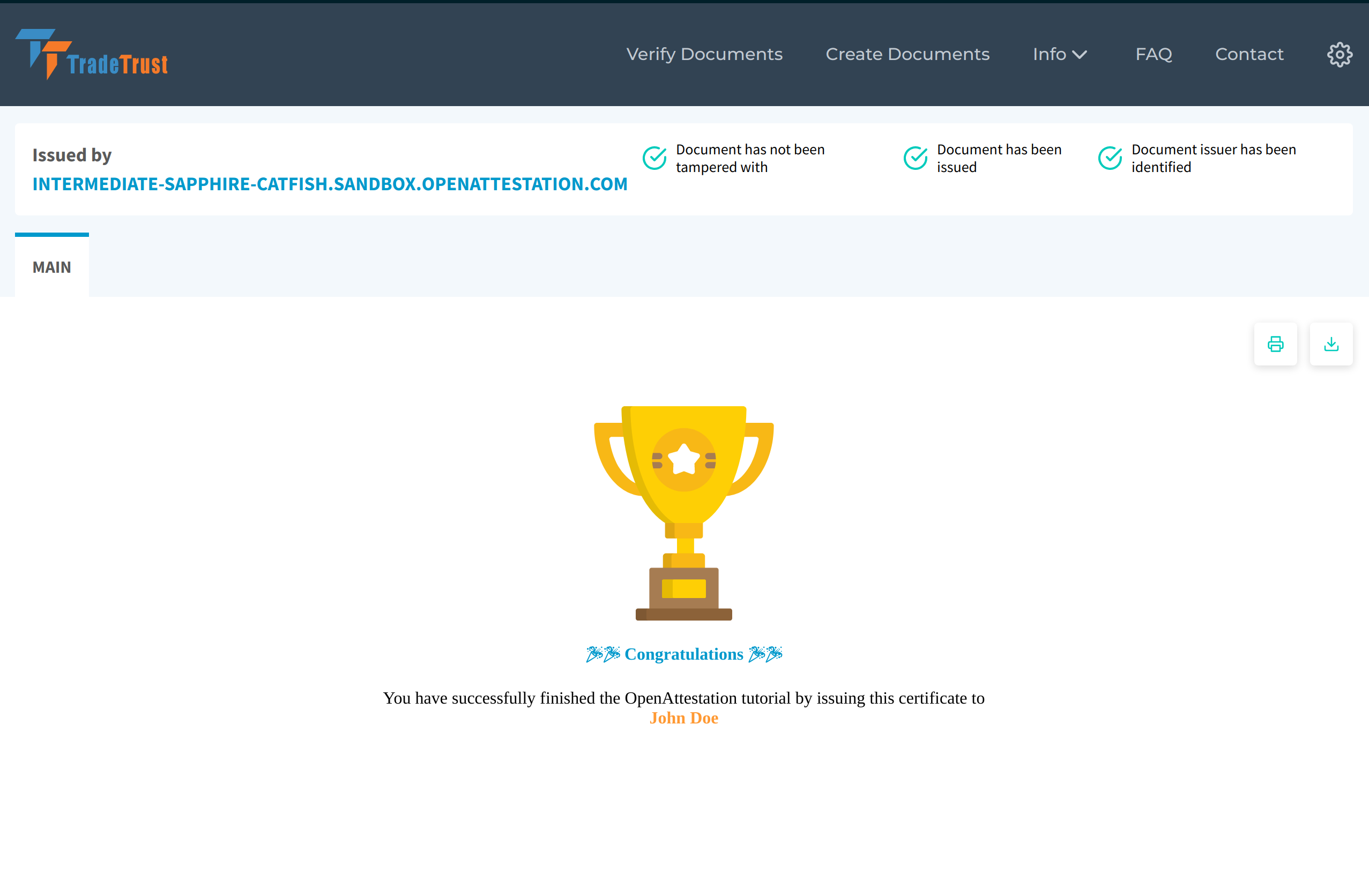
Head over to dev.tradetrust.io, drag and drop one of the signed documents. The document will be verified, then displayed like in the image below.
🎉 Congratulations, you have completed the getting started guide to create your own Verifiable Document!